
CR Mobile App
CentralReach, LLC.Medical
4.285.00 Reviews
- Version
- 26.8.1
- Installs
- 50.00K
- Age Rating
- Everyone
Screenshots
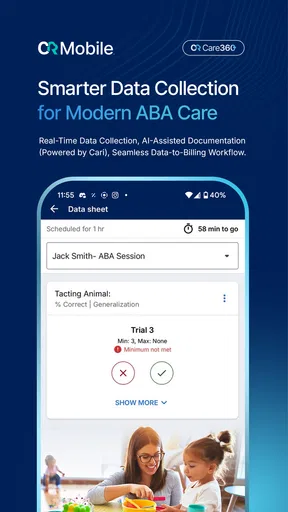
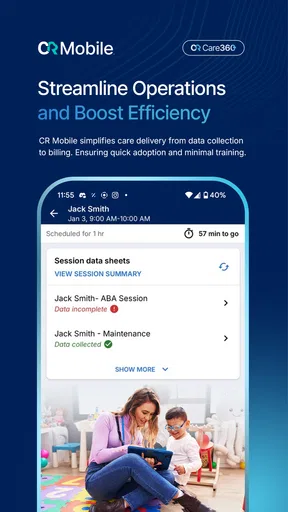
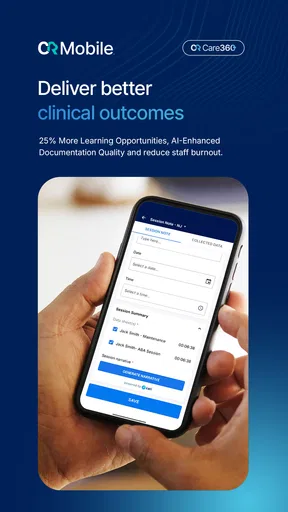
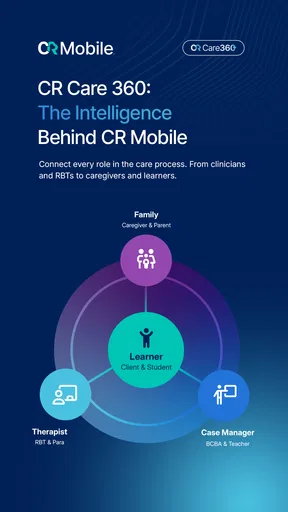
Our Review of CR Mobile App
 Analysis by Appyee
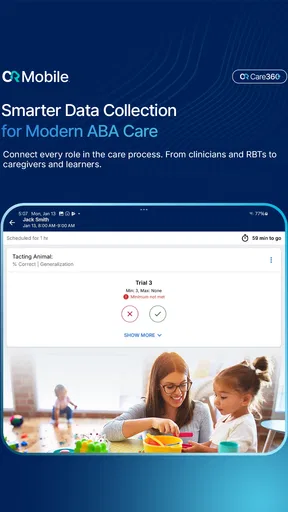
CR Mobile App is a medical app from CentralReach, LLC. that I would look at differently from a typical health tracker. Its focus is not counting steps, logging meals, or offering general wellness advice. Instead, it is built around ABA care, where accurate information, consistent routines, and communication between the people involved can make everyday support much easier to manage. After spending time with it, my main impression is that its value comes from bringing care-related work into a mobile setting rather than leaving everything tied to a desktop browser or scattered messages.
The app is free and rated for Everyone, which makes it approachable for families and care teams who need a practical mobile entry point. It has a 4.2 average from around 255 ratings and has passed 50K installs, so it is not an obscure experiment with no visible user base. Still, I would not judge it like a consumer app designed for casual, independent use. Its usefulness depends heavily on how a person’s ABA service is organized and whether the wider CentralReach workflow is already part of that service.
Why mobile access matters in ABA care
The capability that stands out most to me is mobile access to ABA care work. That sounds simple, but the effect is important: information can be handled closer to the moment when care actually happens. A therapist, caregiver, or other authorized member of a support team may need to check what is expected, record what occurred, or keep the day moving without sitting at a computer. A phone is much more realistic in those situations than a traditional office-centered system.
In ABA care, small details can matter. A session does not happen in a quiet office every time. It may take place at home, in a community setting, or during a busy part of the family’s day. A mobile app can reduce the gap between an event and the record of that event. In my view, that is the practical idea behind CR Mobile: not replacing professional judgment, but making the administrative and information side of care easier to reach while people are away from a desk.
I also like that the app is positioned as a care tool rather than as a medical advice service for the general public. That distinction matters. Someone looking for symptom explanations, medication reminders, or a personal fitness dashboard will probably find the experience too specialized. The intended value is connected to ABA work, so the app makes the most sense when it is used within an existing care relationship and not as a standalone source of treatment decisions.
The name CR Mobile App may sound broad, but the important point is its relationship to the CentralReach environment. I would think of it as a mobile companion for organized ABA care, not as an all-purpose health application. That expectation helps avoid a common disappointment: downloading it and expecting a complete independent program without the surrounding setup, people, and clinical process that give the app its purpose.
What the capability changes during a normal day
Imagine a caregiver preparing for an afternoon session at home. The caregiver may need to know what the team is working on, stay aligned with the session plan, and make sure useful observations do not get lost in a notebook or a later recollection. With a mobile care tool available, the phone becomes part of the workflow instead of an afterthought. The benefit is not that the phone magically improves treatment; it is that the information is closer to the activity and easier to handle at the right time.
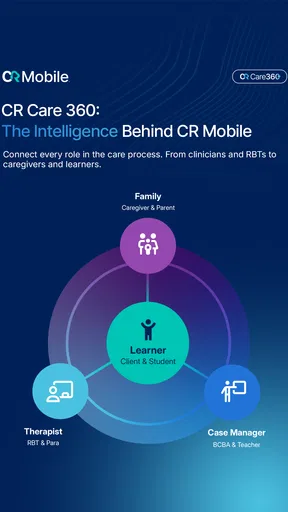
That can also help when several people share responsibility. ABA care often involves more than one person, and consistency becomes harder when everyone keeps separate notes or relies on memory. A centralized mobile workflow can make handoffs less dependent on informal messages. I would still expect professional oversight and clear team rules, but the app can support a more orderly exchange of information than a collection of paper notes and chat threads.
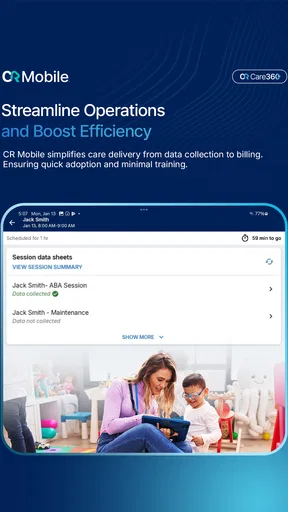
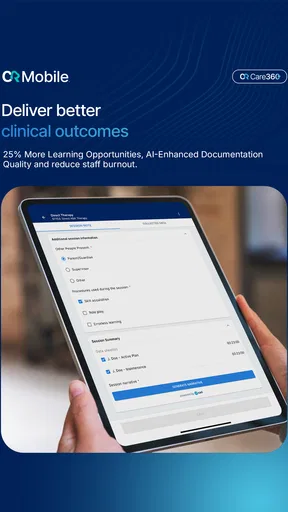
One non-obvious advantage is the reduction of “later” work. When recording or checking something is postponed, details can become vague, especially after a tiring session. A mobile interface gives the user a chance to deal with the task while the context is still fresh. That does not mean every entry will be perfect, and it does not remove the need to review records, but it can make timely documentation more realistic for people who are constantly moving.
There is a trade-off here too. A phone is convenient, but it is also full of distractions. Notifications, calls, a small screen, and the pressure of a live session can make any mobile documentation task feel intrusive. I found the strongest case for the app when it supports a defined workflow, not when the user is expected to improvise everything from the handset. Teams should agree on when the phone is used and when attention must remain entirely on the person receiving care.
How I would use it in practice
I would begin by treating setup as part of the care process, not as a quick download. Before relying on the app, I would confirm who is meant to use it, what information each person is responsible for, and how mobile entries fit into the team’s existing CentralReach routine. That preparation is especially important for families, because an app can only be helpful when everyone understands the same expectations.
During a session, I would keep the phone available for the specific tasks assigned to me and avoid turning it into a general-purpose dashboard. A focused approach makes the mobile format less disruptive. For example, a caregiver might check the relevant care information before an activity, use the app when an observation needs to be recorded, and then put the device aside. The point is to support attention, not compete with it.
Afterward, I would review what was entered while the experience was still clear. This is one of the more useful habits with a care app: use the live session for timely capture, then use a calmer moment for checking. It helps separate immediate documentation from reflective review. If a team notices repeated confusion about what should be recorded, that is a workflow problem to discuss with the supervising professionals rather than something the app alone can solve.
Another practical tip is to avoid assuming that mobile access means every person should see or do everything. Different roles may require different levels of involvement. A caregiver may need a straightforward way to stay aligned, while a clinician may be responsible for interpretation and changes to care. Keeping those responsibilities clear prevents the app from encouraging users to make clinical decisions outside their role.
I would also prepare for ordinary phone problems. A low battery, poor connectivity, or a device being used by another family member can interrupt a mobile workflow. I would not make the app the only place where a critical appointment detail or urgent instruction exists. This is not a criticism unique to CR Mobile; it is a sensible safeguard for any phone-based care system. Mobile convenience works best when the team has a backup plan for moments when the phone is unavailable.
A realistic home-session example
Consider a parent whose child receives ABA support at home while the parent is also handling meals, school materials, and household interruptions. The parent may not have time to sit at a computer and organize observations in a separate system. A mobile app can fit more naturally into the rhythm of that afternoon. The parent can stay connected to the care workflow without leaving the room for long periods or trying to reconstruct the session late at night.
The important benefit is not speed for its own sake. It is continuity. If information is captured close to the activity, the next person involved in care has a better chance of understanding what happened in context. That can be more useful than a polished note written much later but missing the small details that make it meaningful. In this scenario, the app earns its place by reducing friction around participation, not by turning a busy parent into a data-entry specialist.
There are limits to this example. A parent who is not part of the CentralReach-based care process may gain little from installing the app alone. Likewise, someone expecting the app to interpret behavior or recommend treatment will be looking in the wrong place. The value appears when the family and professionals already have a coordinated plan and need a practical way to stay connected to it.
Where the mobile approach feels less comfortable
The first limitation is that specialized care software can have a learning curve. A person who is comfortable with messaging apps may still need guidance before feeling confident with a clinical workflow. That is not necessarily a flaw, because care documentation should not be oversimplified, but it does mean the first experience may be less immediate than opening a general notes app.
The second limitation is screen size. A phone is excellent for quick access and timely actions, but it is not the ideal place for every review task. If I needed to examine a large amount of information, compare many entries, or do detailed administrative work, I would prefer a larger screen when that option is available. The mobile app’s strength is being present during care, not necessarily replacing every desktop-oriented activity.
The third limitation is dependence on the surrounding organization. A well-designed mobile tool cannot fix unclear goals, inconsistent communication, or poor training. If one team member records information differently from another, the app may simply make those differences more visible. That can be useful, but it can also expose process problems that require human discussion and supervision.
Privacy and attention also deserve practical consideration. Because this is a medical app, I would use it carefully in shared spaces and avoid leaving the phone unattended while information is visible. I would also keep the device protected with the normal security settings I use for personal technology. The app should support responsible care, but safe handling remains a user and organization responsibility.
Compared with paper notes, CR Mobile offers a more connected and portable approach. Paper can be quick and familiar, but it is easy to misplace, difficult to share promptly, and dependent on someone later transferring the information. Compared with generic note-taking apps, a specialized medical tool is more likely to fit a defined ABA workflow, while a generic app may be easier for casual writing but less suitable for coordinated care. Compared with a desktop-only system, the mobile format is more practical during home and community sessions, though less comfortable for extended review.
That comparison explains when I would choose something else. If I only needed a private personal reminder, a simple notes or calendar app would be less demanding. If my organization already has a different clinical platform and does not use CentralReach, installing CR Mobile would not automatically improve communication. If I work mainly at a desk and rarely need information during active sessions, a desktop workflow may feel more comfortable. The app is strongest when mobility is the actual problem being solved.
Who is most likely to benefit
I think the best fit is a person who is already connected to ABA services using CentralReach and needs a mobile way to participate in that process. Caregivers can benefit when they need to stay aligned with a team during ordinary home routines. Therapists and other care staff may appreciate having a more portable workflow when their work moves between locations. Supervisors can also benefit indirectly when timely information is easier for the team to capture and share within the established system.
Families should ask a few practical questions before depending on it. Is CR Mobile part of the service provider’s workflow? Who will train each user? What should be recorded during a session, and what should be discussed directly with the clinical team? How will the family handle a missed entry or a technical interruption? Getting clear answers will tell you more about the likely experience than the download itself.
I would be more cautious for a person who wants a self-guided ABA program. The app is not a substitute for a qualified care team, and its usefulness does not come from browsing it casually. It is also not the right choice for someone searching for broad medical education or a general symptom tracker. The Everyone age rating makes it broadly accessible, but age suitability should not be confused with clinical suitability; the relevant question is whether the user has a legitimate role in the care workflow.
The app has been available since July 15, 2020, and the current version is 26.8.1, with support beginning from iOS or Android operating system version 9 depending on the device platform. Those details make it reasonably approachable for people who are not using the newest phone, although the actual experience will still depend on the device and the organization’s setup. I would check compatibility before a session begins, rather than discovering a problem when the app is suddenly needed.
My recommendation after using it
My honest view is that CR Mobile App is valuable for a specific reason: it brings ABA care work closer to the real setting where care happens. That can improve continuity, reduce delayed documentation, and make participation easier for families and professionals who cannot stay at a computer. Its benefit is practical rather than flashy, and that is exactly why it may matter to the right user.
I would recommend it to people whose providers already use CentralReach and who want a mobile companion for organized ABA care. I would not recommend downloading it blindly as a standalone medical solution. The app cannot replace clinical guidance, team communication, or a clear care plan, and the phone format may feel cramped for detailed review. Even so, when the workflow is already in place, mobile access can turn documentation from a delayed chore into a more timely part of care.
CentralReach, LLC. has made a focused tool rather than a general-purpose health app. With a free price and a growing user base, it is easy to try, but the real decision is whether it matches your care team’s process. If it does, I can see it becoming a useful everyday companion. If it does not, a different system already adopted by your provider will almost certainly be the better choice.
Verdict
Strengths of CR Mobile App
- Quick access to account details and key banking services
- Clean interface makes common tasks easy to find
- Useful notifications help track account activity
- Supports secure login options on compatible devices
- Convenient for managing finances while traveling
Limitations of CR Mobile App
- Some features may depend on your bank or account type
- App performance can vary on older smartphones
- Occasional updates may change the menu layout
- Mobile data or Wi-Fi is required for most functions
- Not all support requests can be completed inside the app
Similar Picks in This Category
View All
WebMD: Symptom Checker
WebMD, LLC4.1

Microphone Amplifier
DOSA Apps4.2

Anatomy Learning - 3D Anatomy
3D Medical OU4.5

Period Tracker and Calendar
SimpleInnovation4.9

GoodRx: Prescription Coupons
GoodRx4.8

CVS Health
CVS Pharmacy4.5
Frequently Asked Questions
What is the CR Mobile App used for?
CR Mobile App is designed to give users convenient access to CR-related services and information from a mobile device. Depending on the organization or version you use, it may allow you to view account details, manage requests, receive notifications, access documents, or contact support. Before downloading, check the app description and publisher name to confirm that it matches the official CR service you intend to use.
Is CR Mobile App free to download and use?
The CR Mobile App is generally available to download at no charge, although some services accessed through it may require an account, subscription, membership, or separate payment. Standard mobile data charges may also apply when using the app over cellular networks. I recommend reviewing the store listing and the organization’s pricing information, since available features and costs can vary by country, account type, and app version.
What information or permissions does CR Mobile App require?
Like many service applications, CR Mobile App may request permissions such as internet access, notifications, camera access, location, or storage, depending on the features enabled in your version. Some permissions may only be needed for specific functions, such as uploading documents or receiving alerts. Review the permission prompts carefully, and deny access that is not necessary for the features you plan to use.
Is an account required to use CR Mobile App?
An account may be required for most personalized features in CR Mobile App, particularly when the application handles private records, requests, payments, or organization-specific information. Some sections may be available without signing in, such as general announcements or help content. If you already have credentials for the corresponding CR service, try those first; otherwise, look for an official registration or account-recovery option.
Is CR Mobile App safe and compatible with my device?
The safest way to install CR Mobile App is through the official Google Play Store or Apple App Store, while verifying the developer, logo, reviews, and privacy information before downloading. Compatibility depends on your Android or iOS version, device model, and available storage. Keep your operating system updated, avoid unofficial APK files, and contact the official CR support team if you notice suspicious login activity or unexpected behavior.
